 NetMute
How to block outgoing connections on a Mac (and what macOS won't do for you)
The built-in Mac firewall blocks incoming connections only. Every app on your Mac can still phone home to whatever server it wants, and most do, dozens of times an hour. This guide explains why, walks through a free fix with real screenshots, and compares the four serious options honestly.
- 1.macOS' built-in firewall blocks incoming connections only. There is no setting anywhere in System Settings to block outgoing traffic per app.
- 2.To control outgoing traffic, you install a separate per-app firewall. The four established options on Mac are Little Snitch, LuLu, Radio Silence, and NetMute. Exactly one of them can be active at a time.
- 3.The free option that's currently maintained and ships from the Mac App Store is NetMute. It does the "block app from internet" case for free; it charges one-time for granular per-destination blocking. Walkthrough is below.
Why this confuses everyone
The macOS firewall only watches one direction
Open System Settings → Network → Firewall. There's a toggle ("Firewall") and an "Options..." button. The Options dialog lets you decide which apps may receiveincoming connections from the network, and that's useful against port scans, opportunistic network attacks, and a small subset of malware. There is no "outgoing" tab. No "Block app X from connecting to the internet" checkbox. Apple's positioning of the firewall as protection against inbound attacks is in their own support documentation; the absence of outbound control is a design decision, not an oversight.
Decides if other machines on your network are allowed to talk toyour Mac. Blocks incoming port-scans, rogue SMB connections, unauthorized incoming requests. Configurable per app. Has a "stealth mode".
Anything to outgoing traffic. Apps on your Mac can send whatever they want, whenever they want, to any server. No logging, no per-app controls, no awareness in the UI that this is happening.
If a guide tells you to "turn on the macOS firewall to stop apps from going online," the guide is wrong. The macOS firewall doesn't do that. It's not an oversight in the guide; it's a category confusion. Outbound control needs a second tool.
What's actually leaving your Mac
The 161 companies on the other end of your apps
Before you block anything, look at what's there to block. NetMute ships with a curated tracker database of 584 distinct domains belonging to 161 companies, built up from public tracker registries, security research and on-device observation. Here's roughly what that landscape looks like:
| Category | Examples of companies/services | What it sends |
|---|---|---|
| Advertising | Meta Pixel, Google AdSense, AdMob, AppLovin, IronSource, Criteo | Page views, conversions, device IDs, anonymous buyer profiles |
| Analytics | Google Analytics, Mixpanel, Amplitude, Heap, PostHog, Statsig | Feature usage, click streams, retention metrics, A/B test assignments |
| Attribution | Adjust, Branch, AppsFlyer, Singular, Kochava | Install source, campaign IDs, attribution joins across apps |
| Error reporting | Sentry, Bugsnag, Rollbar, Crashlytics | Stack traces, OS version, device model, sometimes breadcrumbs containing user actions |
| Session replay | LogRocket, FullStory, Hotjar, OpenReplay | Recordings of your in-app interactions, scroll patterns, click coordinates |
| Customer data / CDP | Segment, RudderStack, Customer.io, Klaviyo | Pipes that fan out the data above to dozens of downstream SaaS tools |
| Fingerprinting | FingerprintJS, ThreatMetrix, parts of Cloudflare Bot Management | Combined hardware/OS/font/canvas signals that identify you across sessions |
The categorisation is NetMute's; the company list is a non-exhaustive sample to give you a sense of what's on the other end of "a Mac app is talking to the internet." The free NetMute tier blocks the 50 most-prevalent of these domains; Premium unlocks the full 584.
The walkthrough
Block outgoing connections, step by step
Three steps. About 3 minutes from App Store to a verified block. You don't need to know which app is doing what before you start: NetMute observes first, then you decide.
Install NetMute. Let it watch your Mac for a few minutes.
Download from the Mac App Store. On first launch, NetMute will ask you to approve the network extension. That's a single dialog, Touch ID or password, then done. No terminal commands, no kext loading, no SIP changes.
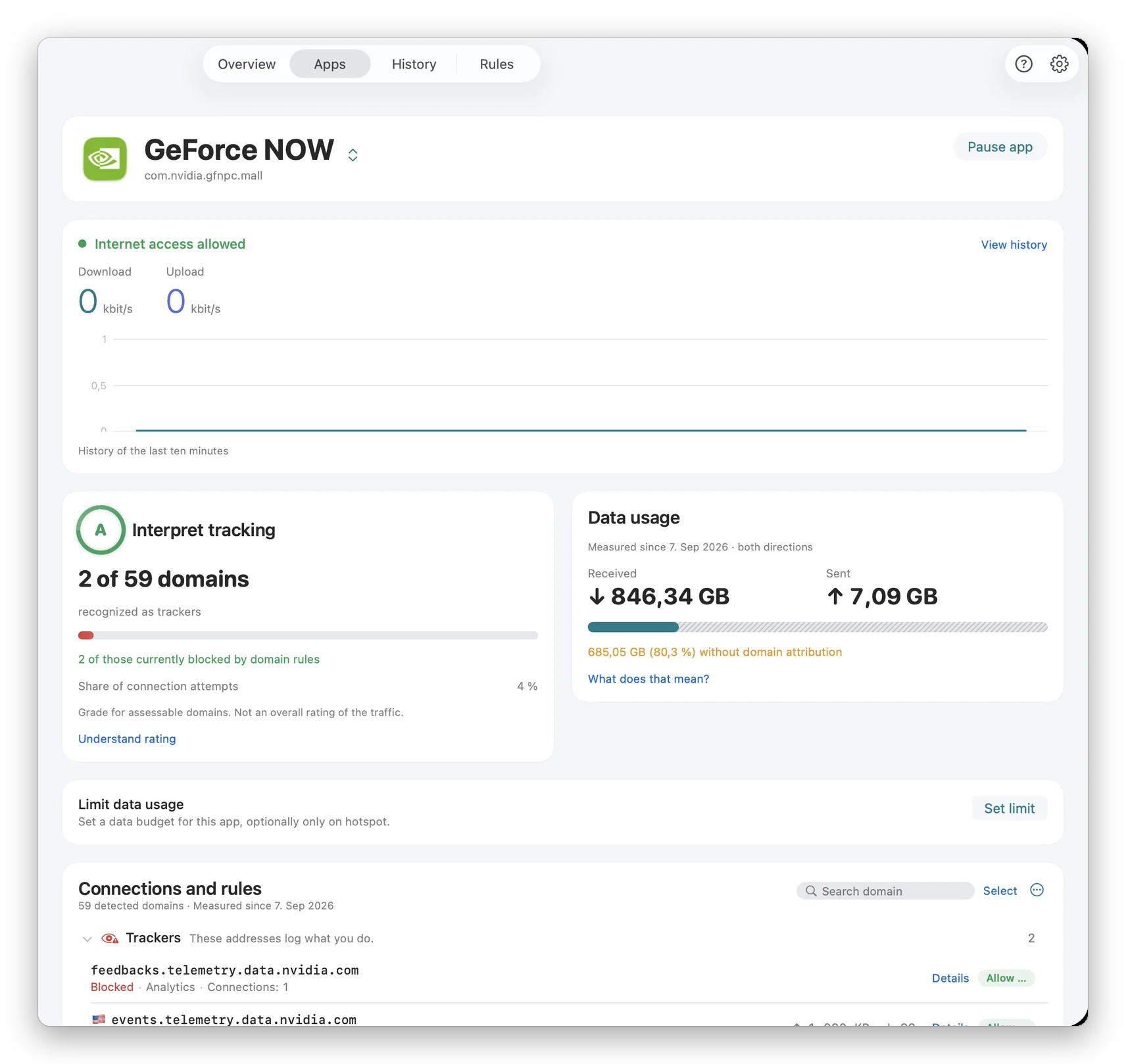
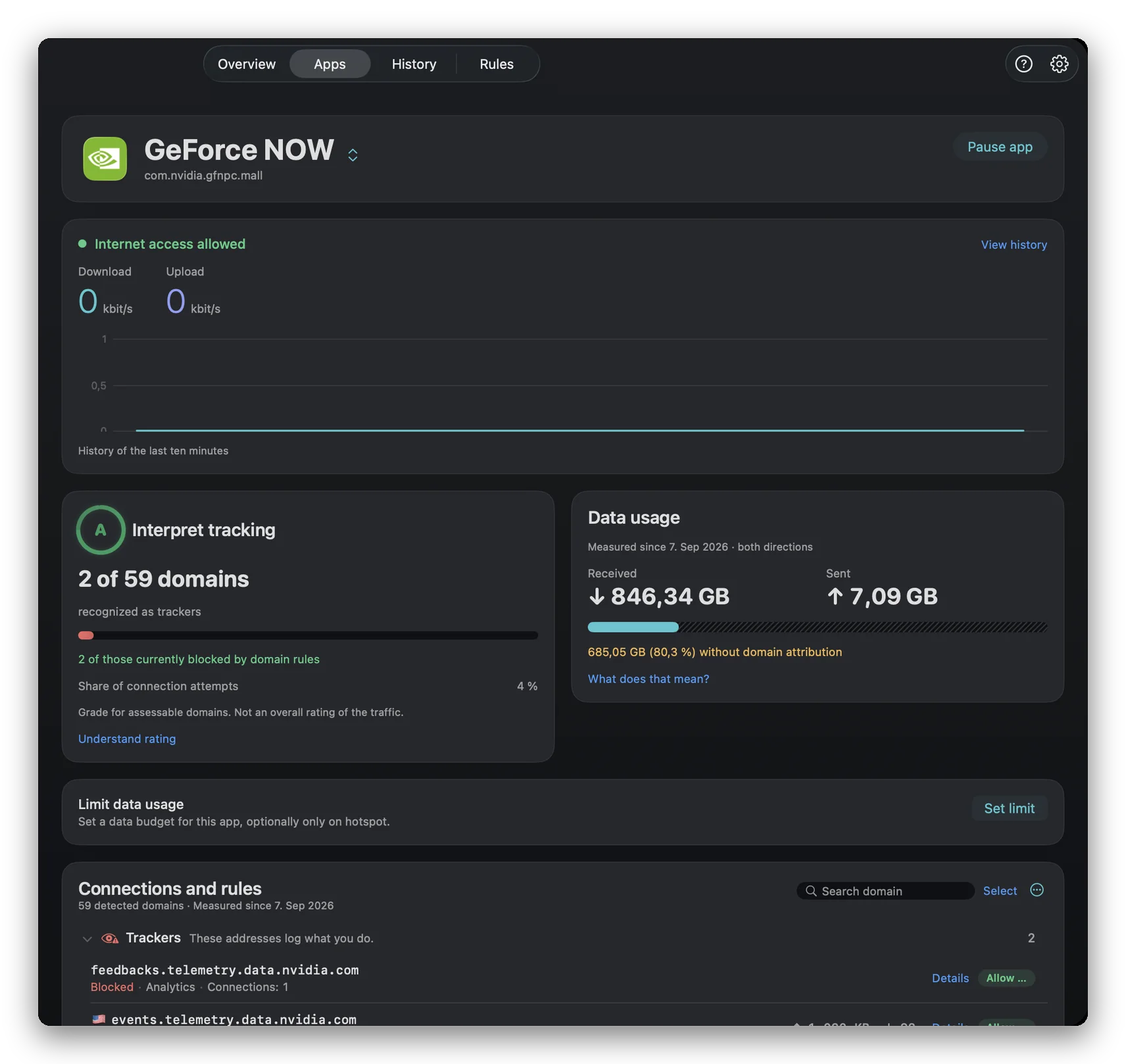
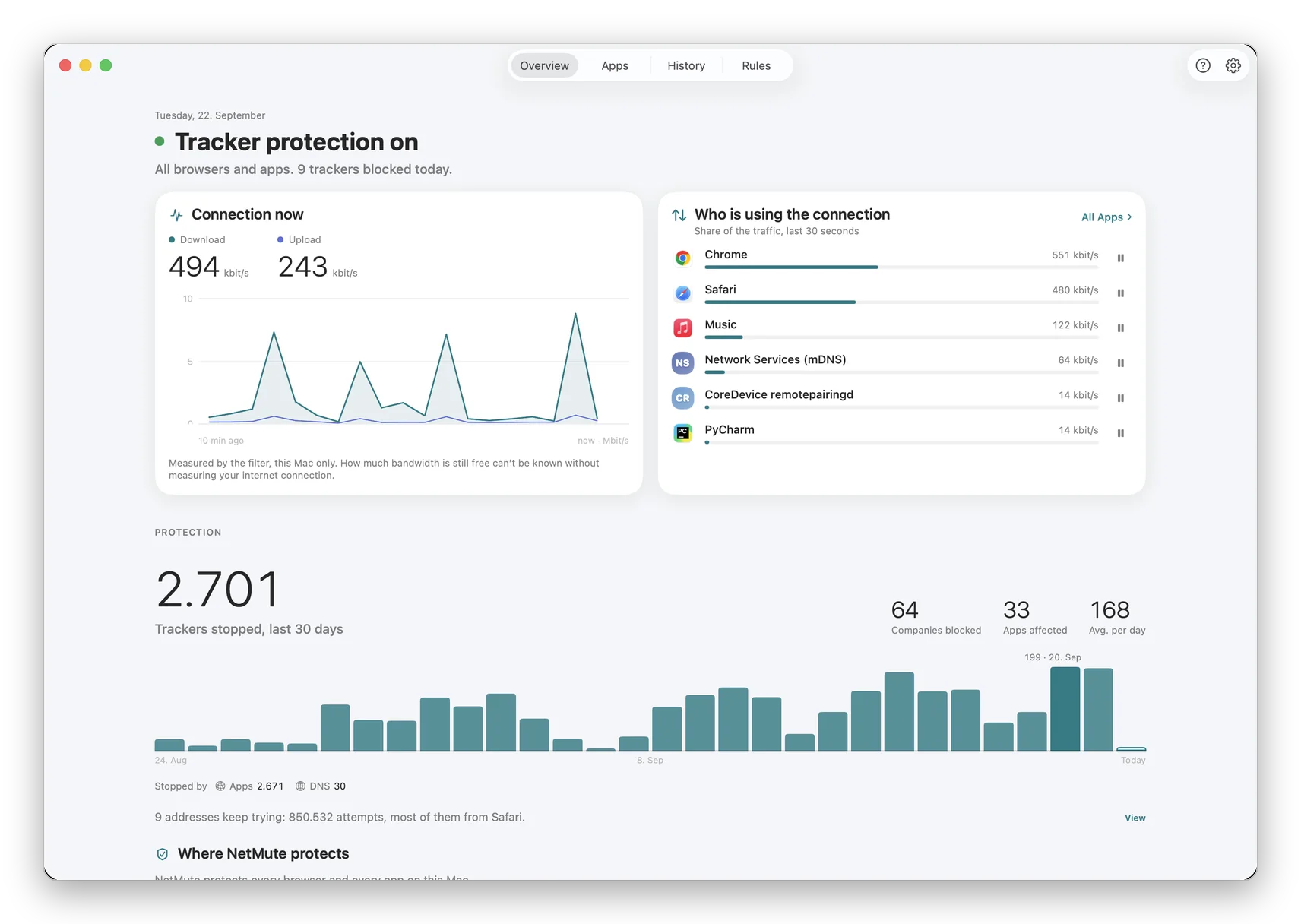
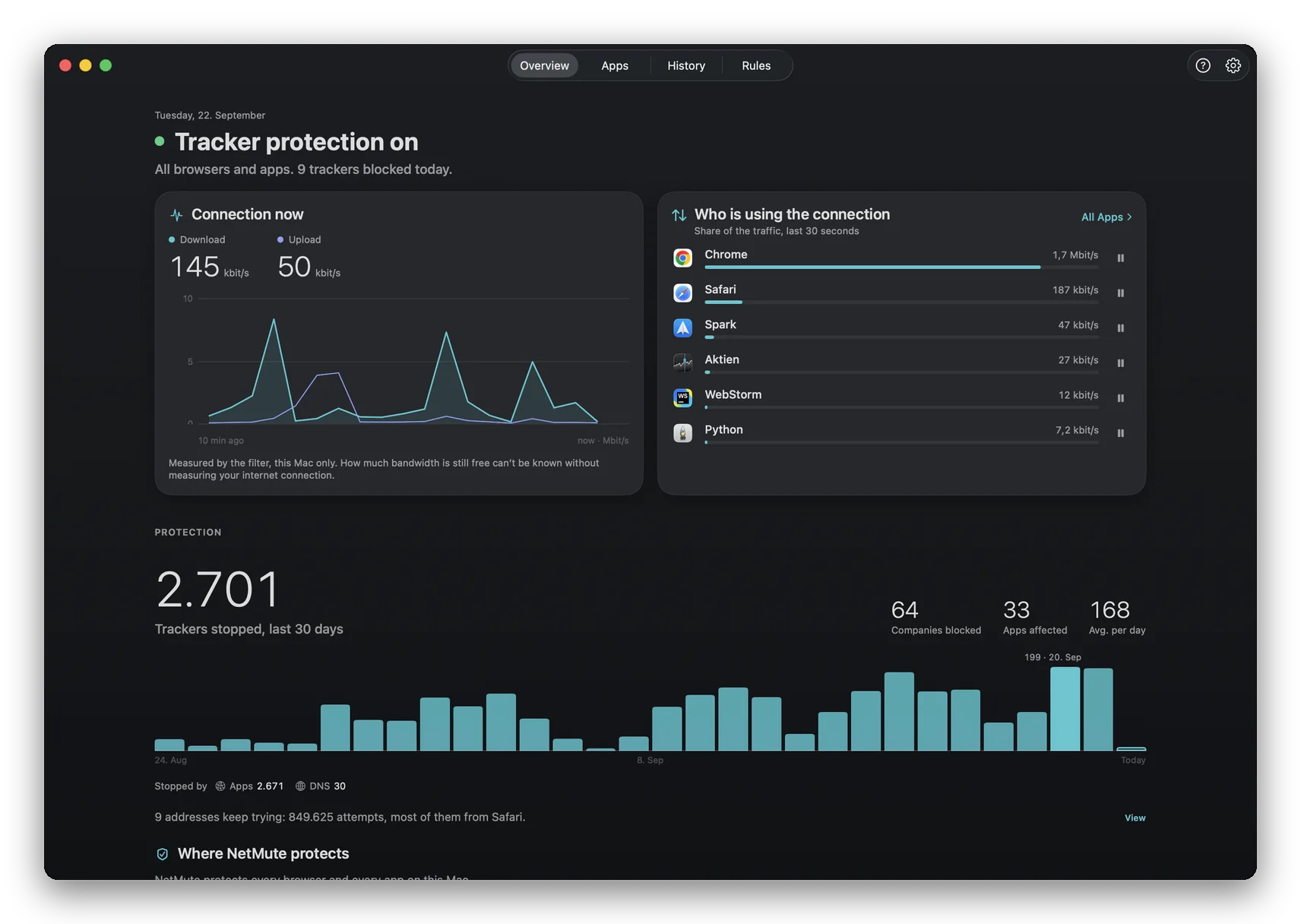
Once approved, NetMute starts observing traffic immediately, without blocking anything yet. Open the App X-Rayview (right). Each app appears with the destinations it's contacted, grouped into the seven categories from the table above.
Pick which app (or which destination) you want offline
Two granularities, depending on what you're after:
- Block the entire app is for tools that have no business talking to the internet. Local-only notes apps, calculators, image editors that silently phone home. The blunt instrument; free in NetMute.
- Block specific destinations per app is for apps you depend on. Keep Slack's message delivery, block its analytics endpoint. Keep Adobe Creative Cloud's license check, block its advertising telemetry. The surgical instrument; Premium feature.
The toggle takes effect immediately. The app stays running and can use local resources. It just can't reach the network until you flip the toggle back.
Verify the block actually took effect
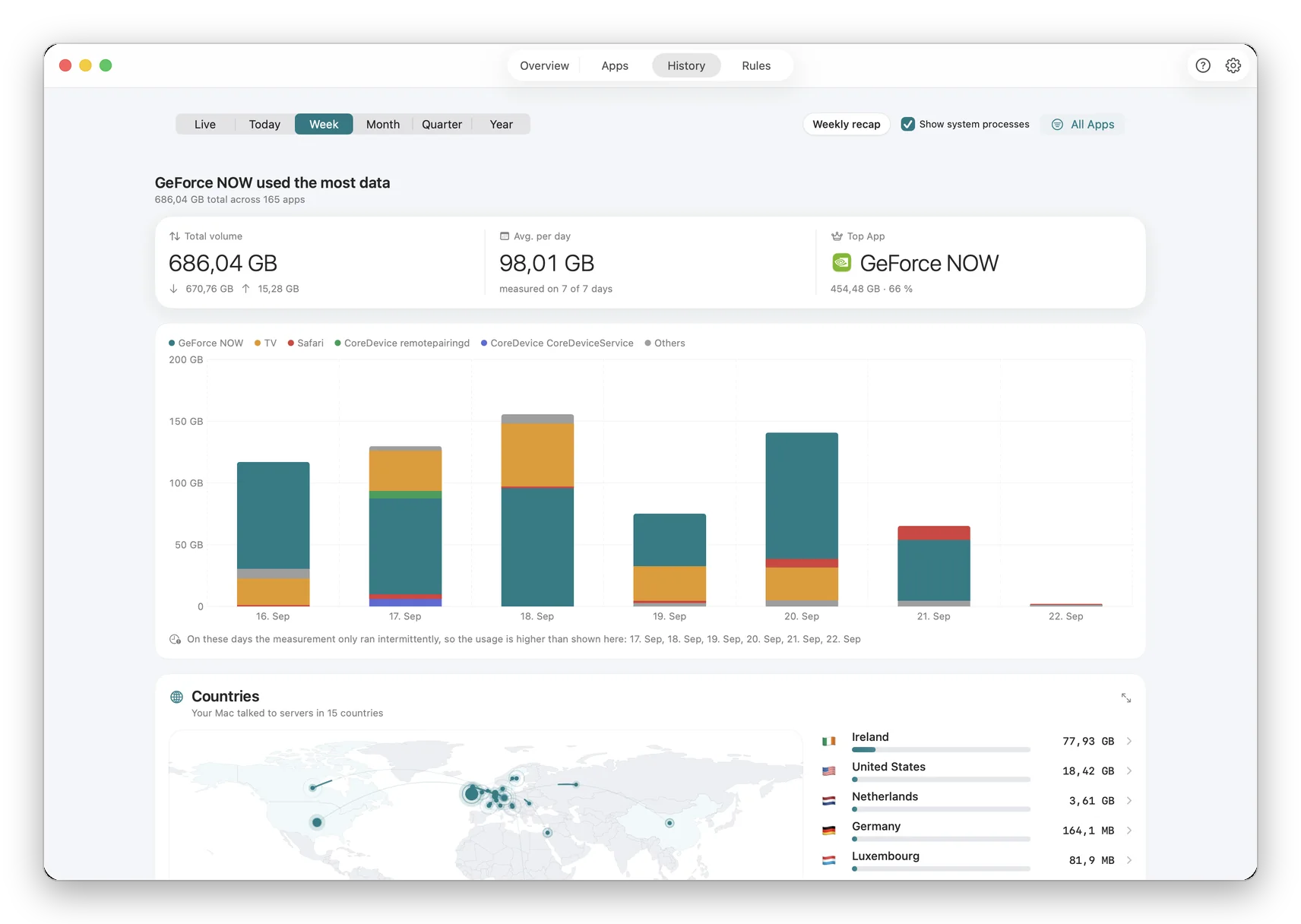
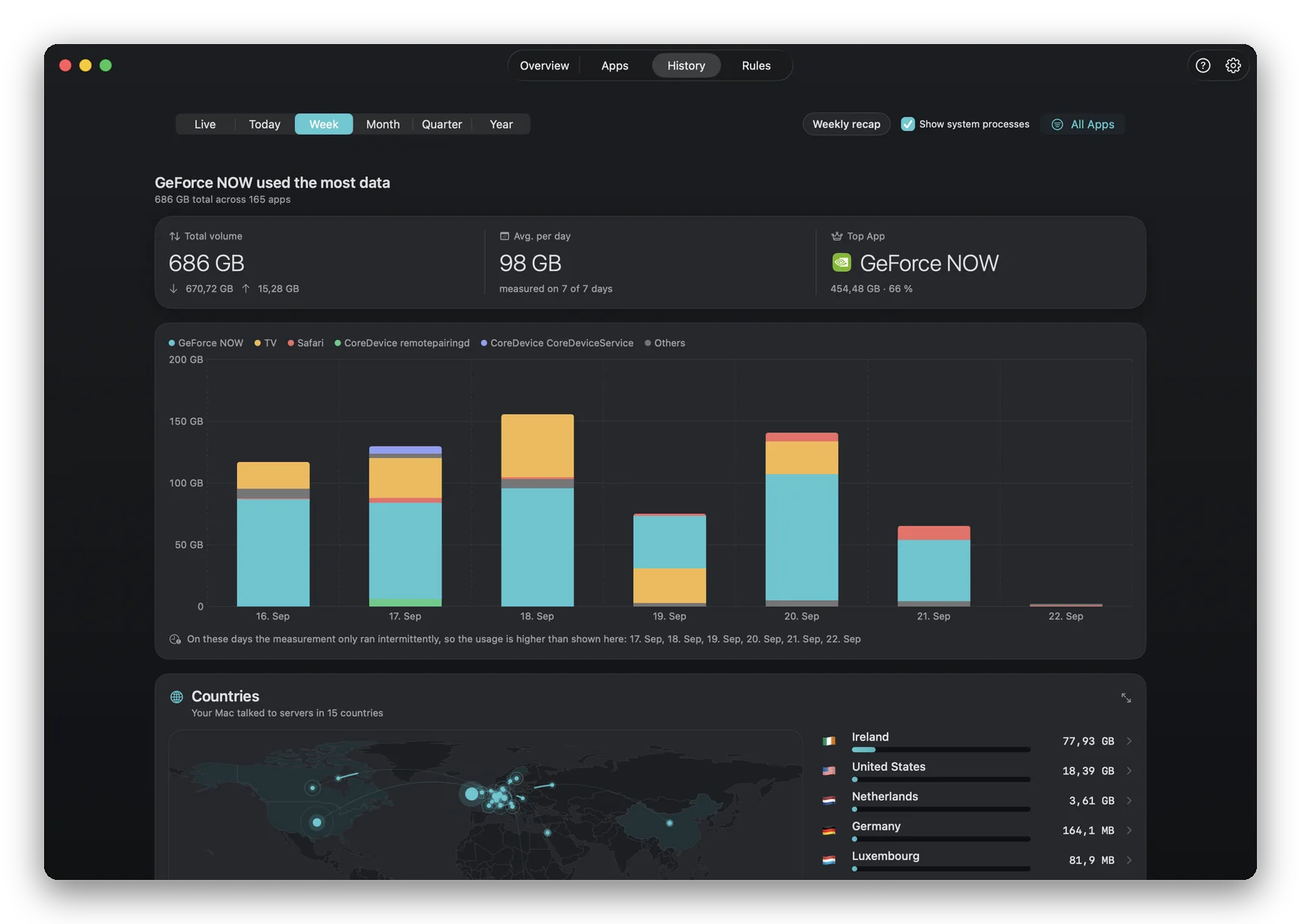
Open the Reportsview. Each blocked attempt is logged with a timestamp and the destination the app was trying to reach. That's how you know the rule is enforcing, not just sitting in a config file somewhere.
A surprise from watching this for a week: most apps don't try once and give up. They retry. A blocked Slack tries to reach its analytics endpoint tens of times per hour. A blocked Adobe app retries its advertising telemetry every couple of minutes. That steady drip is the background noise an outbound firewall removes, and you only see how loud it was once you mute it.
That's the whole setup
~3 minutes from Mac App Store to a verified outbound block. Free, no account, no kernel extension, no subscription.
The honest landscape
Your four serious options on Mac
Four apps occupy this category. The macOS built-in firewall doesn't, but I've included it in the table to anchor the comparison. Prices and macOS-version support are as of May 2026; I update this table when they change.
| macOS firewall | Little Snitch 6 | LuLu | Radio Silence | NetMute | |
|---|---|---|---|---|---|
| Blocks outgoing per app | |||||
| Per-destination blocking | — | Limited | — | Premium | |
| Built-in tracker list | — | Optional add-on | — | — | 584 domains |
| Distribution | Built-in | Direct download | GitHub | Direct | Mac App Store |
| Open source | — | — | — | — | |
| Licence model | Included | Paid (paid major upgrades) | Free / donate | Paid one-time | Free + one-time Premium |
| macOS 26 (Tahoe) support | Verify before update |
Sources: each vendor's pricing page and release notes, checked May 22, 2026. macOS 26 support per the vendor's published compatibility statement. If you spot an outdated figure, please let us know and we'll fix the table.
Most mature DNS-rule editor. Strong "Map" visualisation. Long track record. Worth the licence if you're a network engineer who lives in firewall rules.
Open source. Auditable. Free forever. Less polished UI; smaller feature surface. The right choice if you specifically want to read the code before trusting the filter.
Simplest UI of the lot. If you want one screen with on/off toggles per app and no other features, this is it.
Free in the Mac App Store. Built-in tracker shield (584 domains). Modern NetworkExtension architecture. macOS 26 first-class. One-time Premium, no subscription. Newer entrant, with less UI mileage than Little Snitch.
Edge cases worth knowing about
The specific gotchas
macOS' captive-network assistant runs outside the NetworkExtension filter on purpose. You can always reach the captive portal to authenticate even with an outbound firewall active. Once you're past the portal, your rules apply normally.
Source of install is irrelevant to the firewall. NetMute identifies apps by their code-signed bundle identifier and applies rules at process granularity, not at App-Store granularity. Homebrew CLI tools, Setapp-delivered apps and direct-download apps all show up in App X-Ray normally.
A browser is a single app to the firewall, even when you have fifty tabs open. NetMute can block destinations per browser (Premium), useful for stopping a specific tracker domain across Safari, Chrome and Firefox simultaneously. For per-site blocking inside a single browser tab, a content blocker (uBlock Origin, AdGuard for Safari) is still the right tool. The two layer well: the browser extension blocks site-side trackers in HTML; NetMute blocks browser-level background calls and the same trackers running in other apps.
macOS 26 adds Apple Intelligence model downloads and Private Cloud Compute attestation, which produce additional connections from Apple system processes. NetMute shows these in App X-Ray under the system process they originate from. Blocking them is technically possible, but it tends to break unrelated features in non-obvious ways (Spotlight summaries, Siri responses, Photos clustering). Default behaviour is to let Apple's first-party endpoints through and surface them for audit.
NetMute filters at the application layer, before the VPN client picks up packets. Cisco AnyConnect, GlobalProtect, Tailscale, WireGuard and OpenVPN all coexist. The order is: app generates traffic → NetMute decides allow/block → if allowed, VPN routes it. There is no conflict and no additional configuration on the VPN side.
FAQ
Questions that actually come up
Does the macOS built-in firewall block outgoing connections?
No. The Application Firewall under System Settings → Network → Firewall only filters incoming traffic. Apps on your Mac can reach out to any server they want, whether analytics, advertising, telemetry or license servers, and there is no setting in System Settings to block them. Apple's own description confirms this: the macOS firewall is positioned as protection against inbound network attacks, not as outbound traffic control.
Why doesn't macOS include an outbound firewall by default?
Apple's security model historically assumes that any installed application is trusted: the operating system verifies that apps are signed and notarized at install time, then lets them communicate freely afterward. That assumption was defensible in 2010. In 2026, almost every app maintains background connections to analytics, advertising, telemetry, error-reporting and license endpoints, so the assumption now leaks a lot of data by default. There has been no public statement from Apple about adding an outbound firewall to macOS.
Will blocking an app's outgoing traffic break the app?
It depends on the app. A note-taking app or calculator that has no legitimate reason to talk to the internet will work normally with networking blocked. A browser, mail client, video-call app or license-checking creative tool will malfunction if blocked entirely. That is exactly why per-destination blocking exists: keep Slack's chat working but block its analytics endpoint; keep Adobe Creative Cloud's license check but block its advertising telemetry. That granular control is NetMute's Premium tier (one-time in-app purchase, no subscription); the blunt per-app block is free.
Is this the same as a VPN?
No. A VPN tunnels all your Mac's traffic through a remote server so destinations see a different IP. A per-app firewall doesn't change where traffic goes. It decides whether the app is allowed to send any traffic in the first place. The two compose cleanly: a VPN client and a per-app firewall run side by side. NetMute filters at the application layer before the VPN client picks up traffic.
Does this require root, a kernel extension, or disabling SIP?
No. NetMute uses the macOS NetworkExtension framework, which is Apple's sanctioned, sandboxed API for this purpose. You grant approval once at install time and the filter runs as a low-privilege process. No kexts, no root, no SIP disabling. This is the same architecture Little Snitch 5+ and LuLu 2+ use; older kernel-extension-based firewalls (including some legacy Little Snitch versions) are deprecated on modern macOS.
What's the minimum macOS version?
NetMute requires macOS 26.0 (Tahoe) or later, on Apple Silicon or Intel. The NetworkExtension content-filter APIs the filter relies on shipped with macOS 26. For older macOS, Little Snitch (5.x supports Sequoia 15) and LuLu (which supports macOS 11+) remain the realistic alternatives.
Will NetMute see HTTPS-encrypted traffic?
Not the contents: encrypted stays encrypted. What it sees is the metadata: which app made the connection, which hostname it tried to reach, when, and how many bytes were transferred. That metadata is what almost everyone actually wants to monitor or block on. Decrypting HTTPS content would require a MITM proxy with an installed root certificate; NetMute deliberately does not do that, both for security and for App Store sandbox compliance.
Does NetMute play nicely with corporate MDM or a VPN client?
Yes. NetMute filters at the application layer, which sits before VPN clients in the network stack. Corporate VPN tools (Cisco AnyConnect, GlobalProtect, OpenVPN, WireGuard, Tailscale) coexist without conflict: NetMute decides whether the app is allowed to send, the VPN client then routes whatever was let through. MDM-managed Macs work normally; NetMute is installed per user from the Mac App Store and does not need elevated MDM privileges. Note: corporate IT cannot centrally manage NetMute today, as there is no admin console or fleet policy. NetMute is a single-Mac tool.
What about Apple Intelligence and other macOS 26 system telemetry?
macOS 26 introduces additional Apple-managed connections for Apple Intelligence model fetching, Private Cloud Compute attestation and various system services. NetMute can observe these connections in App X-Ray under the macOS system processes, and they can be blocked per-domain like any other destination, but it is rarely wise to do so. Blocking Apple system endpoints often breaks unrelated features (iCloud, App Store updates, Find My) in non-obvious ways. NetMute defaults to allowing Apple's first-party endpoints and surfaces them in the UI so you can audit, not block.
Can I run NetMute alongside Little Snitch or LuLu?
No. macOS' content-filter API allows exactly one active NetworkExtension content filter per provider type. If you have Little Snitch's content filter enabled and try to enable NetMute's, macOS will block one of them. Pick one. If you're migrating, disable the other firewall's content filter in System Settings → General → Login Items & Extensions → Network Extensions before installing NetMute.
What happens during a macOS update?
Major macOS upgrades sometimes require re-approving the NetworkExtension. After an update, NetMute will show a prompt on launch if re-approval is needed; it walks you through the System Settings step in 20 seconds. NetMute is updated alongside macOS releases via the Mac App Store, so compatibility lags are typically days, not weeks.
How much battery does this use on a MacBook?
Negligible. NetMute runs as a content-filter NetworkExtension, which is the same lightweight hook macOS uses for its own system firewall. There is no extra encryption layer, no proxy tunnel, no kernel module. Day-to-day CPU usage stays below 1% on Apple Silicon Macs in normal use.
Is there a way to monitor an app before deciding to block it?
Yes, and you should. NetMute runs in observation mode by default. Open the App X-Ray view for any app and see, in real time, every destination it contacts and which category each destination belongs to (advertising, analytics, telemetry, sync, license check). You commit to a rule only after seeing what an app actually does, with no irreversible blocks from blind guesses.
What's actually in the tracker database NetMute blocks?
584 distinct domains owned by 161 companies. The bulk are advertising and analytics infrastructure: Meta (Facebook Pixel, app-graph endpoints), Google (DoubleClick, Analytics, Tag Manager, AdMob), AppLovin, Adjust, Branch, AppsFlyer, Amplitude, Mixpanel, Segment, Sentry, Bugsnag and similar. The list ships inside the app and updates with NetMute App Store releases. Free tier ships with the top 50 tracker domains; Premium unlocks the full list of 584.
Why is NetMute free when Little Snitch is a paid licence?
Two reasons. First, NetMute is a newer entrant, and the free tier is a deliberate way to compete on access. Little Snitch has years of UI maturity, an excellent DNS-rule editor, and an established user base; NetMute does not yet match all of that. Second, NetMute's Premium tier (one-time IAP, no subscription) covers per-destination blocking, Network Memory Rules and the full tracker list, which is the part professional users tend to pay for. The blunt per-app block (the literal `block this app from going online` case most people search for) is free and stays free.
Does NetMute send my data to a server somewhere?
Not unless you ask it to. Everything is processed locally on your Mac: no account system, no cloud sync, no usage analytics. The tracker domain list ships inside the app bundle and updates via Mac App Store updates, and receipt validation for Premium talks only to Apple's StoreKit servers. There is exactly one thing that leaves, and it is off by default: the community tracker report. Switch it on and NetMute submits newly seen tracker domains anonymously, with no account and no IP address attached, so the blocklist improves for everyone. Leave it off and nothing is sent at all.
Update log
- 2026-05-22Major rewrite. Added competitor comparison table with current prices, tracker dataset breakdown, annotated screenshots and edge-case section.
- 2026-05-21First version published. 3-step walkthrough + free-vs-Premium summary.
We rewrite this page when something material changes: a new macOS version that affects the filter, a competitor pricing update, a new edge case worth documenting.
Block outgoing connections in three minutes
Free on the Mac App Store. macOS 26 (Tahoe) or later. No account, no kernel extension, no subscription. Premium unlocks per-destination blocking and the full 584-domain tracker list, one-time purchase.
Get NetMute on the Mac App StoreOr read the related articles below first: comparisons, background, deep-dives.
Jonas built NetMute because he wanted a free, Mac App Store-distributed outbound firewall and could not find one. He runs Balane GmbH, the Munich-based software studio that publishes NetMute. He answers support email personally and reviews this page after every meaningful macOS release.
Found something wrong on this page? Email support@netmute.com (it goes to a real inbox).
Sources & further reading
- Apple support: Block connections to your Mac with a firewall (Apple's own documentation confirming that the firewall blocks incoming connections.)
- Apple developer: NetworkExtension content-filter provider (the framework all modern Mac outbound firewalls use.)
- NetMute: Best Mac firewall 2026 (full comparison) (deeper comparison of the four options above, with feature matrices.)
- NetMute blog: The macOS firewall, explained (the long-form background on the built-in firewall's history and design.)
- NetMute blog: Which Mac apps secretly send your data? (the empirical companion piece: what we've seen popular Mac apps actually do.)
