 NetMute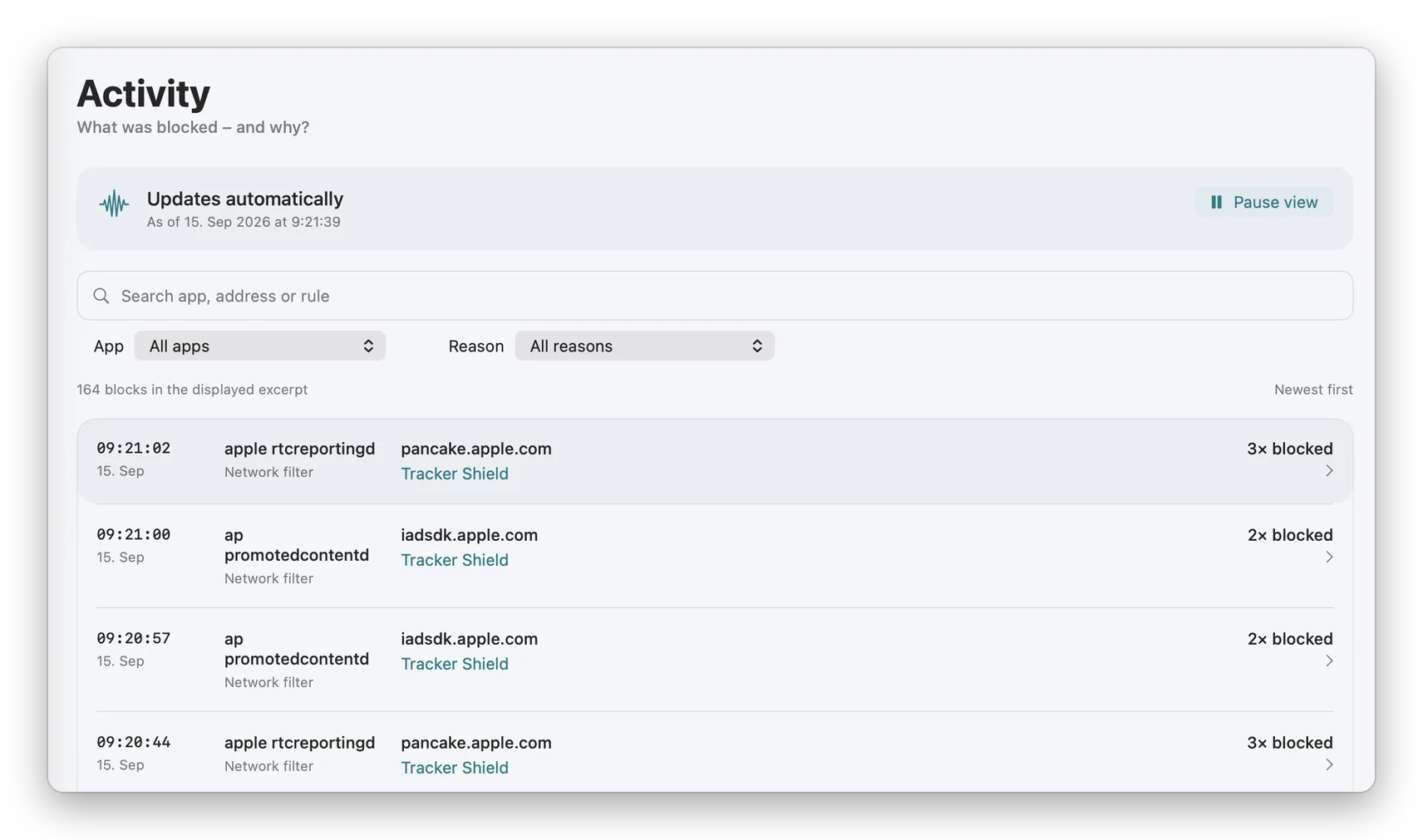
What was blocked, and why
A blocker that only counts is asking for trust. A number goes up, and the reader has no way to turn that number into a sentence about their own Mac.
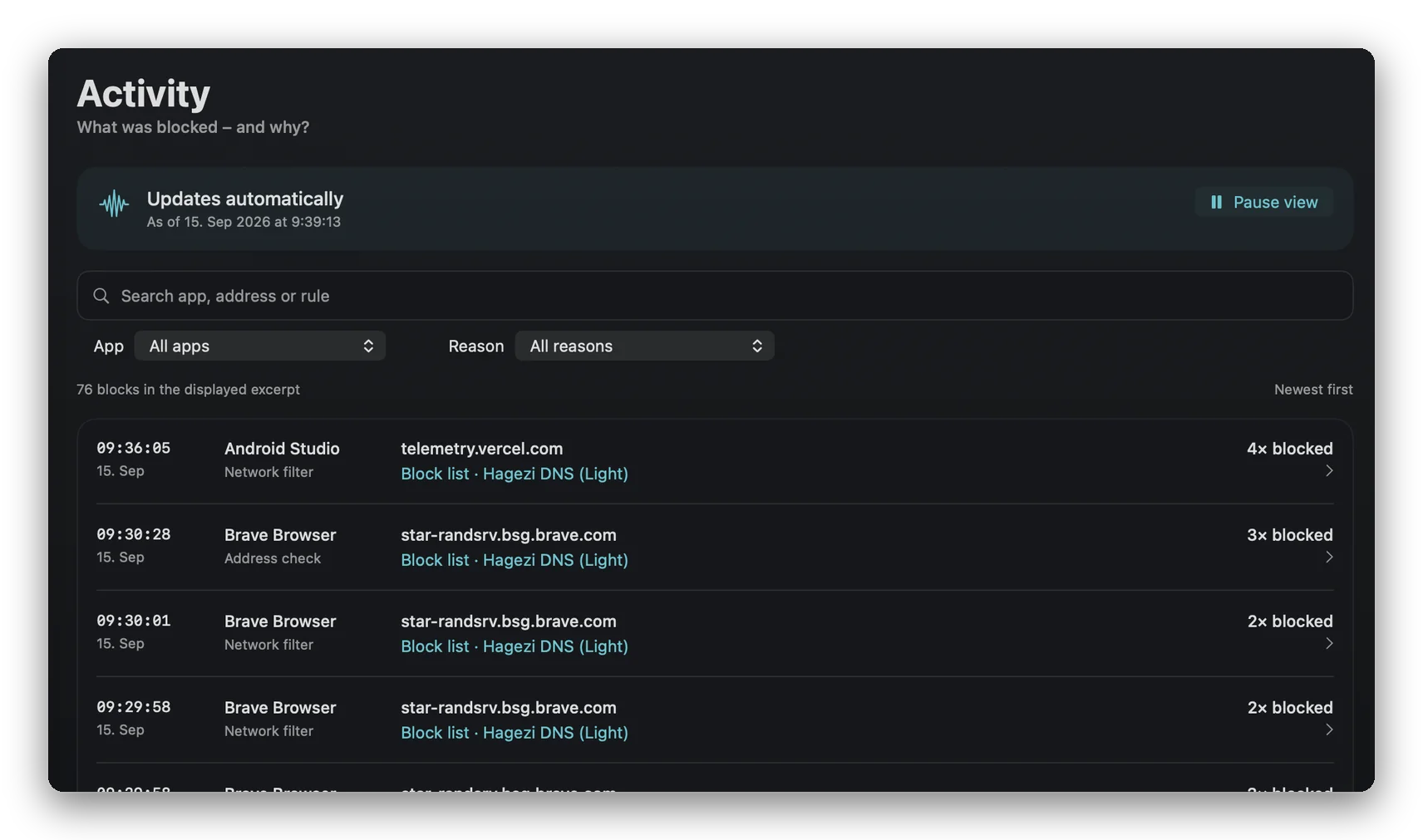
Activity is that sentence, one row at a time. Each row is a block: when it happened, which app tried, which address it wanted, and which rule stopped it. Repeats are counted inside the row instead of repeated down the page.
It updates while you watch. When you would rather read than watch, one button pauses the view without pausing the protection.
What a row tells you
Every row names four things.
The moment. Time and date, newest first.
The app. The program that opened the connection, under its own name rather than a bundle identifier. Helpers sit under the program they belong to instead of appearing as processes nobody recognises.
The address. The host the connection was aimed at.
The rule. The part that makes the list worth reading: Tracker Shield, a named public block list, or a rule of your own. A block with no stated reason is only a claim, so every row carries one.
Above the list, a search field takes an app, an address or a rule, and two menus narrow by app and by reason. The three most recent blocks also appear in the menu bar popover, so the common case never needs the window.
When it earns its place
A page will not load. Search the address, see whether NetMute stopped it and under which rule, and decide in one step instead of switching protection off and on to find out.
An app feels chatty. Filter by that app and watch what it reaches for while you are not using it.
You want the reason, not the count. A counter says a thousand. Activity says which list, which app, which host, at which minute.
You are tuning your own rules. A rule that fires constantly and a rule that never fires look identical in a settings screen. Here they do not.
Evidence, not a score
Privacy tools are easy to build as theatre: a big number, a shield, a colour that suggests everything is fine. None of it can be checked, so the number has to be believed.
Naming the rule behind every block is the opposite move. It makes the app auditable by the person in front of it, and it makes a wrong block findable instead of mysterious. If NetMute stops something it should not have, Activity is where that becomes obvious in seconds, rather than a slow suspicion that the Mac has turned unreliable.
Key benefits
- Every block with the rule that caused it, not just a total
- Live by default, paused with one button when you want to read
- Search by app, address or rule
- Filters for app and for reason
- The three latest blocks in the menu bar, without opening the window
Frequently Asked Questions about Activity
Does pausing the view pause the blocking?
No. Pause stops the list from moving under your cursor. The filter keeps running, and the blocks that happen while you read are there when you resume.
Is this a full connection log?
No. Activity records blocks: the app, the address, the rule and the time. It is not a capture of traffic contents, and it is not a record of everything that was allowed.
Why does a row say blocked three times?
Because the same app went for the same address three times in that moment. Folding repeats into one row keeps a chatty app from burying everything else.