All Features
Tracker Shield
Block over 600 known trackers with a single switch. Our curated tracker database detects ads, analytics, fingerprinting, and social trackers — and blocks them at the network level before they reach your data.
- Blocks 624+ known tracker domains
- 4 categories: advertising, analytics, fingerprinting, social
- Smart breakage detection with per-app allowlists
- Enterprise blocking with subdomain walking

Per-App Firewall
Take granular control over which apps can access the internet. Create inbound and outbound rules, set up whitelists and blacklists, and manage connections with a click from your menu bar.
- Block or allow any app with one click
- Separate rules for incoming and outgoing traffic
- Whitelist and blacklist modes
- Temporary rules with auto-expiry

Real-Time Traffic Monitor
See exactly how much data each app consumes in real time. Monitor upload and download speeds, track data usage over time, and identify bandwidth-hungry applications.
- Live bandwidth per app
- Historical data usage diagrams
- Connection details and logs
- Export data as CSV
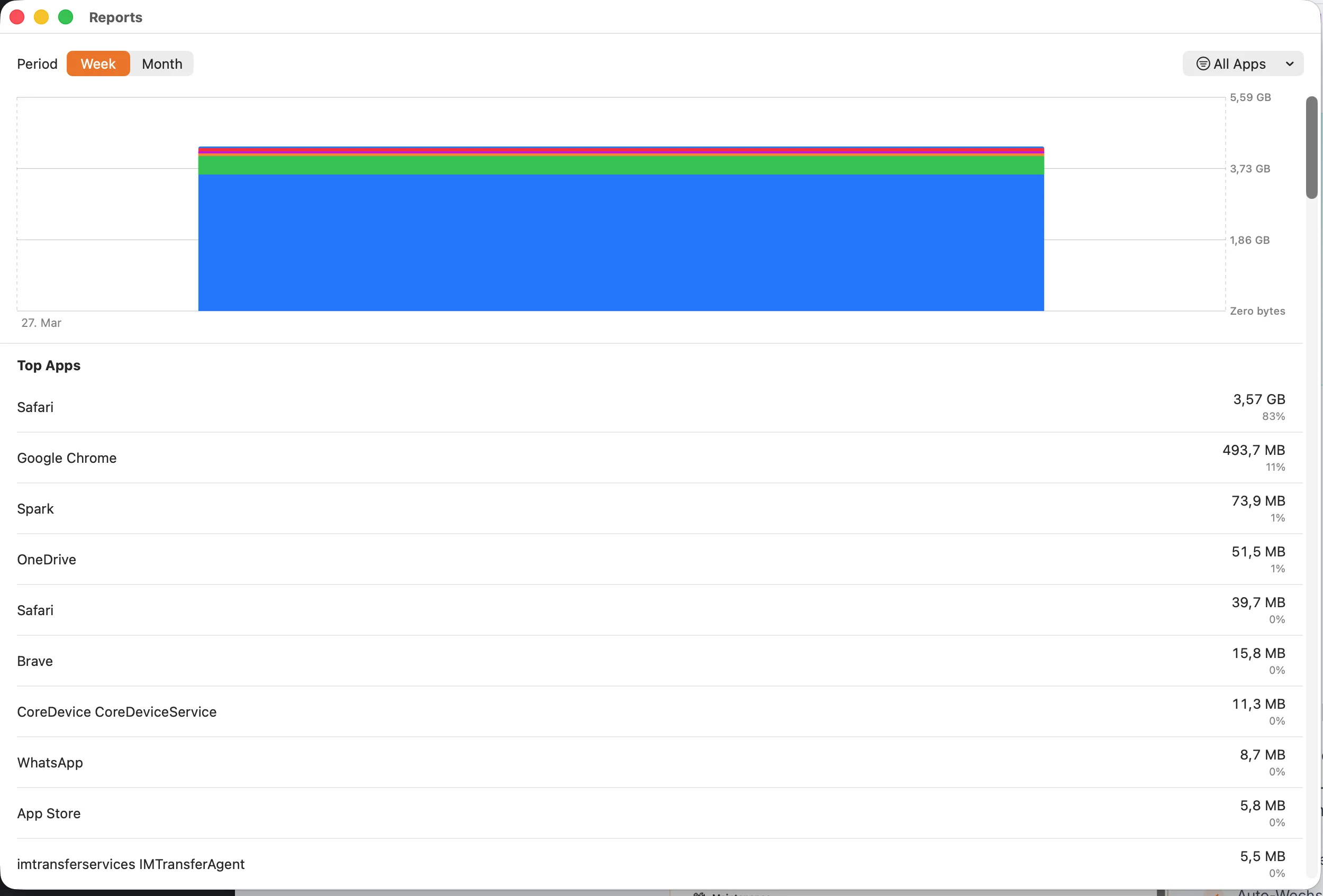
Domain Tracking
Every network connection of your apps is logged and categorized. See which domains each app contacts, how often, and how much data is exchanged.
- Complete domain protocol per app
- Categorized connections
- Frequency and data volume tracking
- Block specific domains
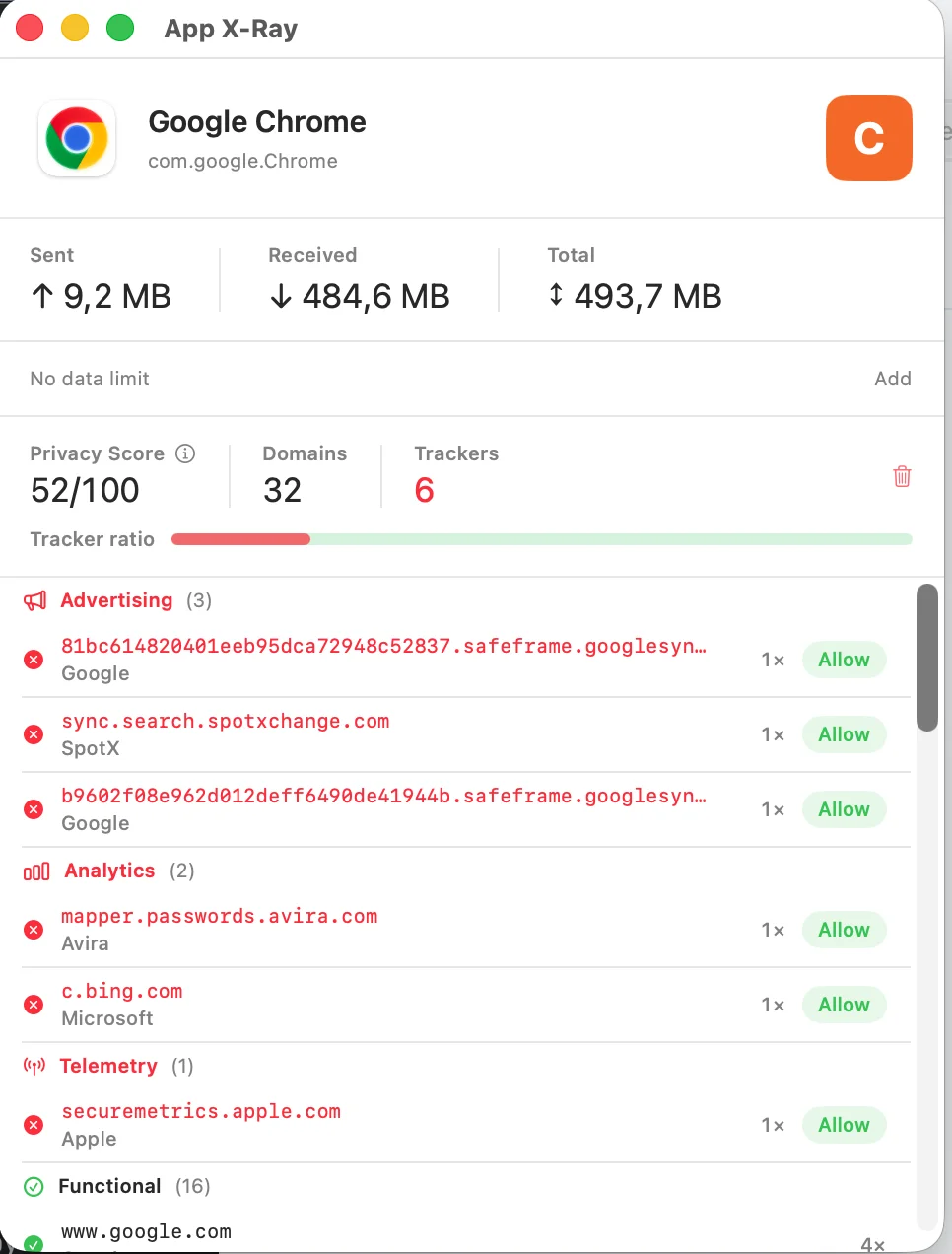
App X-Ray
Our flagship feature provides a comprehensive privacy analysis for each app on your Mac. See privacy scores, detected trackers, and get intelligent blocking recommendations.
- Privacy score for each app
- Known tracker database
- Intelligent blocking suggestions
- Detailed behavior reports
Network Profiles
Create custom firewall configurations for different environments. Your home rules can differ from those at the café or office.
- Unlimited custom profiles
- Auto-switch based on network
- Profile-specific app rules
- Quick manual switching
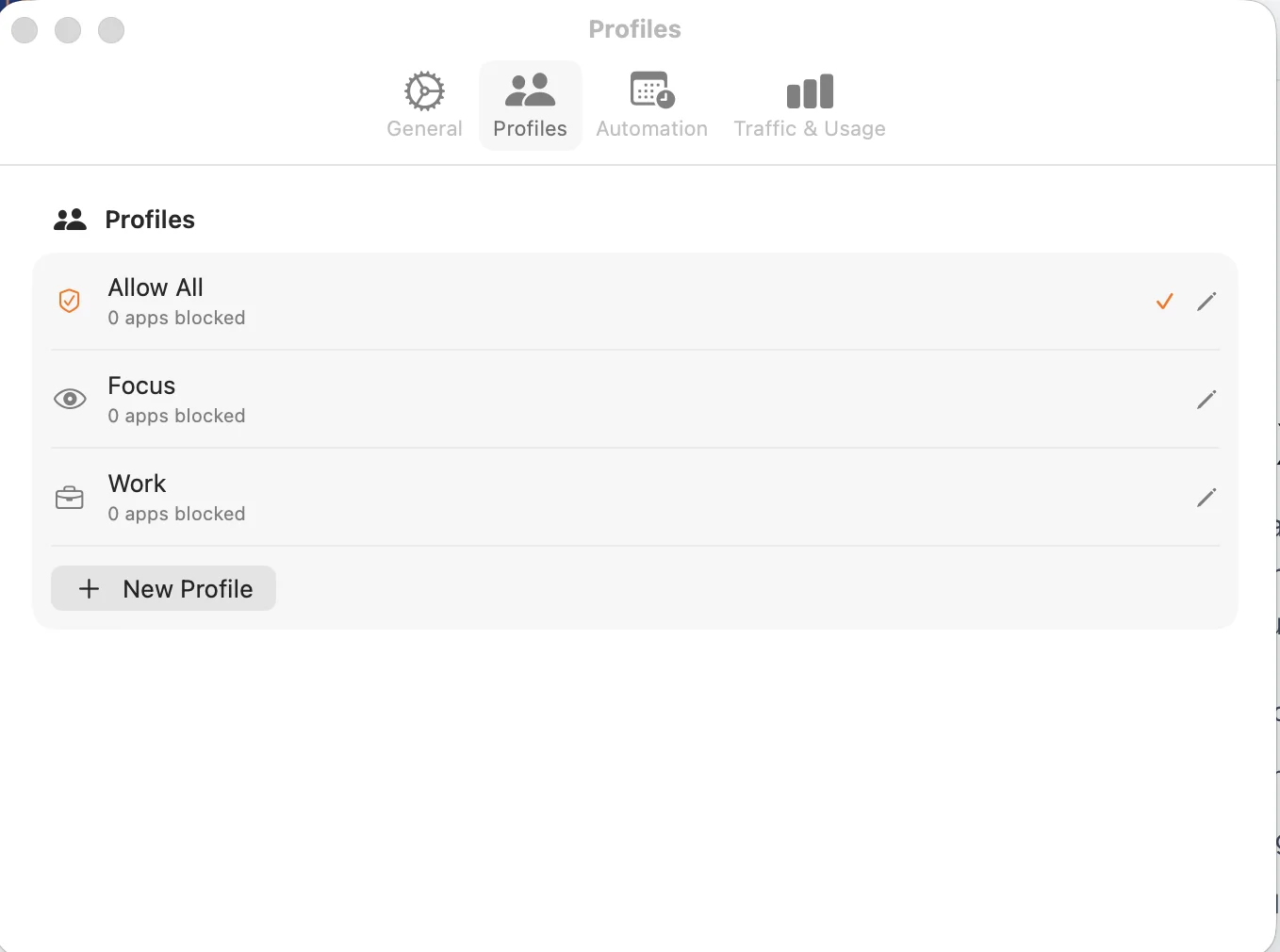
Focus Sync
Integrates with macOS Focus modes. When you activate the ‚Work‘ focus, NetMute can automatically block social media and entertainment apps.
- Syncs with all focus modes
- Custom rules per focus
- Automatic activation
- Override option available
Network Reports
Create comprehensive reports on your Mac's network activity. Daily, weekly, and monthly summaries with exportable data.
- Daily and weekly summaries
- Monthly trend analysis
- PDF and CSV export
- Breakdown per app
Hotspot Protection
Automatically applies strict security rules when connecting to public or untrusted Wi-Fi networks.
- Automatic detection of public networks
- Strict default rules
- Custom public Wi-Fi profile
- Connection warnings
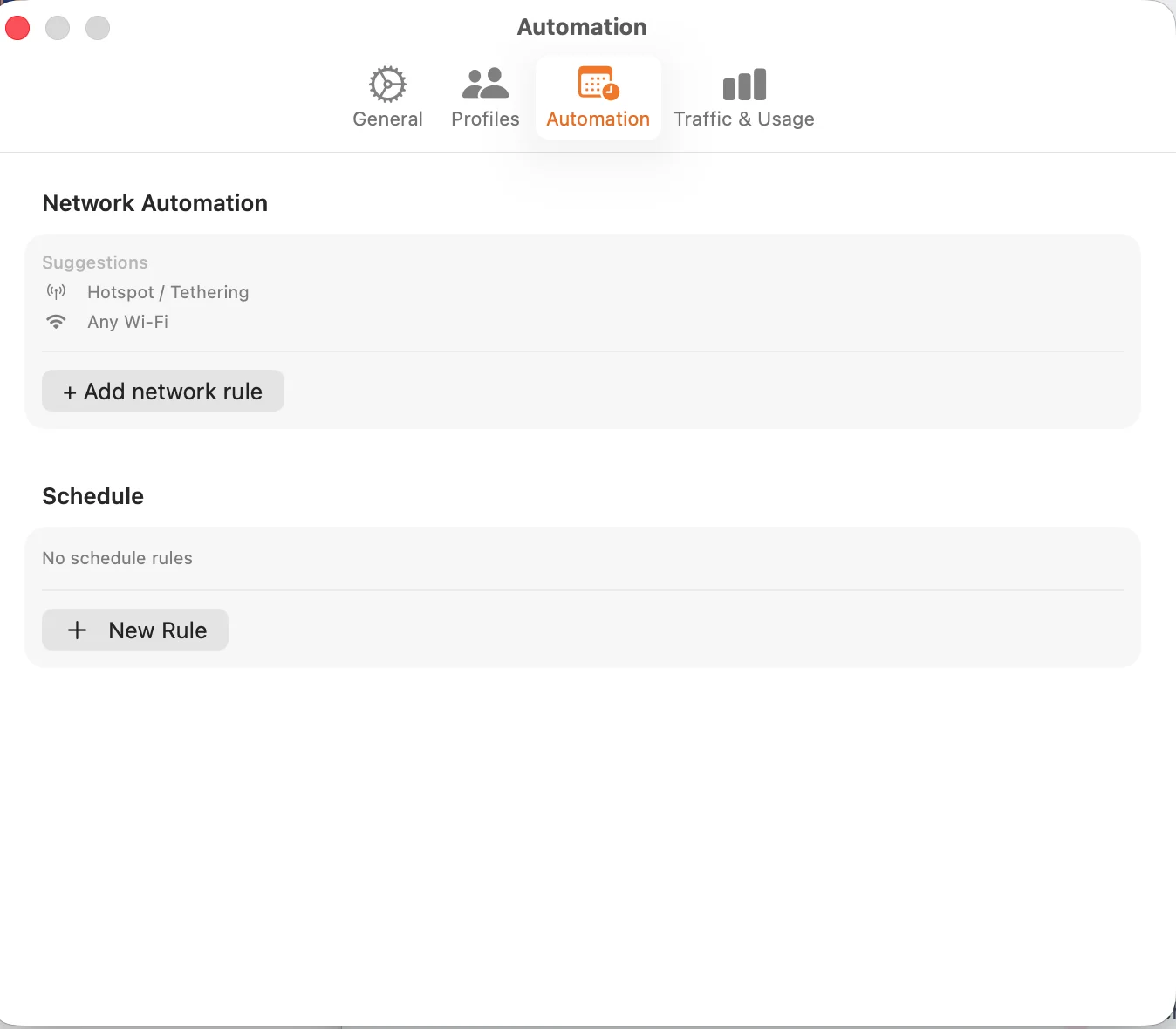
Data Limits
Set bandwidth caps for individual apps or globally. Perfect for mobile hotspots or metered networks.
- Data limits per app
- Daily and monthly caps
- Threshold notifications
- Auto-block at limit